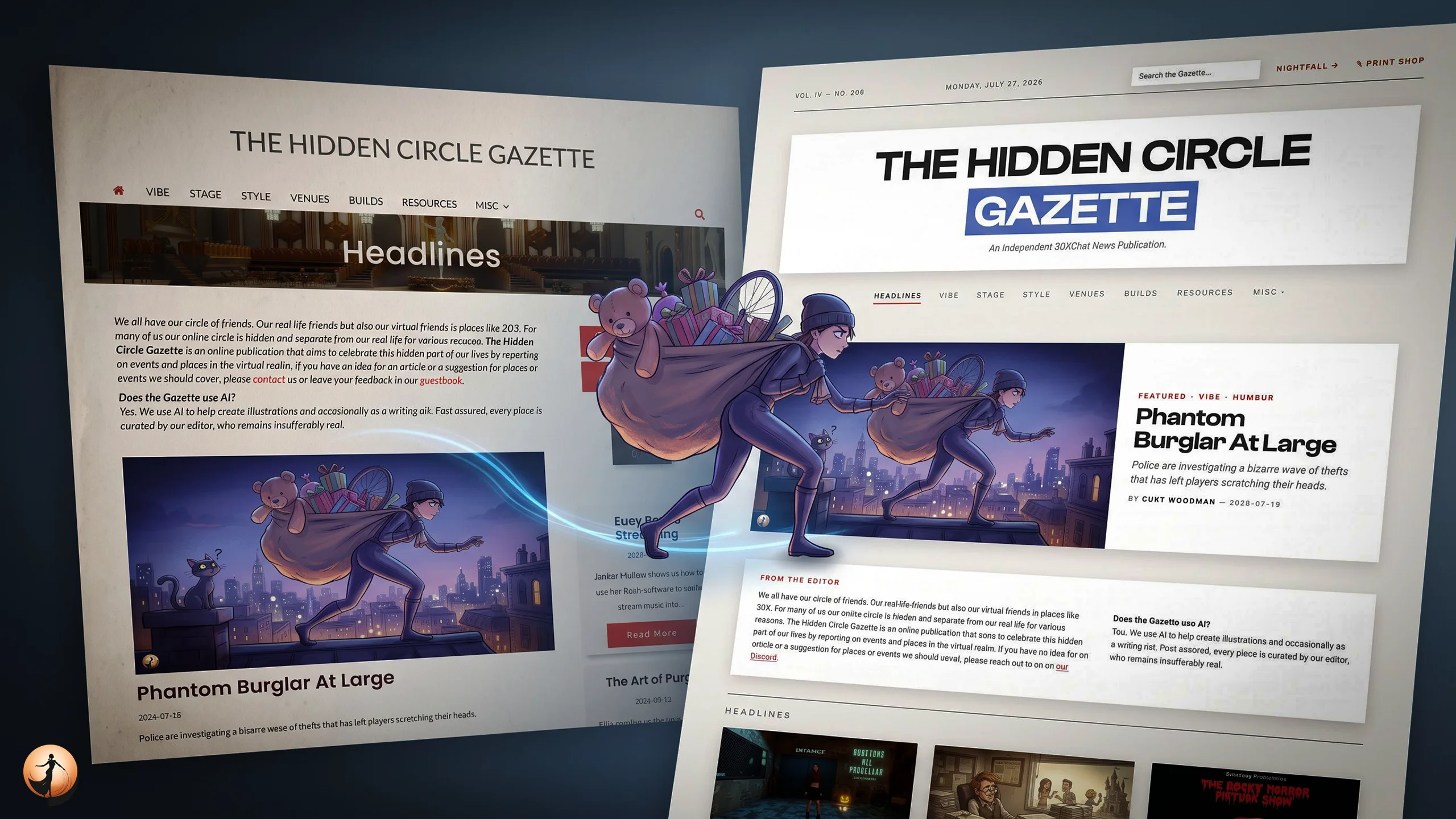
The Gazette has a new website.
This has been a much bigger job than changing the colours and moving a few things around. The site has been rebuilt, although we have tried not to disturb anything that was already working. Old links still point to the right places, articles remain where they were, and the comments have come across with them.
Most of the changes are intended to make the Gazette easier to read and explore. Some are simply there because we liked them.
Daylight and Nightfall
The site now has two distinct designs.
Daylight is the default: dark type, pale panels and a warm paper-like background. Nightfall is designed for reading after dark, with a black background, heavier type and a rather different atmosphere.
You can switch between them using the button in the masthead. The site will remember your choice for your next visit.
Nightfall is not just Daylight with the colours inverted. Its spacing, typography, lighting and smaller interactions have all been adjusted separately. Hover over an article card and you will see one of those details. We may have spent too much time on it, but we are pleased that we did.
A proper home for events
The Gazette has always covered events, but the old site did not really know what an event was. A date was usually part of the article, and that was about as far as it went.
The new What’s On section treats events as events. The band on the front page shows what is coming up, while the full agenda groups listings by day. It knows when something is happening tonight, when it is already under way and when it has finished.
You can also add an event to your calendar. The time is converted to your local timezone automatically, which should prevent at least a few late arrivals and confused messages.
Older work has not been forgotten
A publication should not behave as if everything it printed last year has ceased to exist.
The new front page includes From the Vault, which brings back one older article each day. It is a small way of giving good work another chance to be read.
You will also find three related pieces at the end of every article. These begin with work from the same section, then reach into the wider Gazette. The aim is simple: if you enjoyed one piece, there should be somewhere worthwhile to go next.
Writer archives
Bylines now lead to something useful.
Click a writer’s name and you will see everything they have published in the Gazette, with the newest work first. This should make it easier to follow a particular contributor or find something you remember reading.
It may also reveal quite how much some of us have written.
Comments remain simple
We have not added reader accounts.
To leave a comment, enter a name, write your comment and post it. There is no registration process and no password to remember.
That simplicity is deliberate. The Gazette does not need an account system in order to let people talk about what they have read.
Articles you can keep
Every article can now be downloaded as a PDF.
These are not screenshots of the page. Each PDF is laid out as a Gazette clipping, using the publication’s typefaces and keeping photographs at a useful size. Galleries are included, links remain clickable, and web addresses are printed as footnotes for anyone reading on paper.
They print rather nicely, if we may say so.
Articles also have a share button. Headings include a small paragraph symbol that copies a link to that particular section, which is useful when the relevant part is halfway down a long piece.
The Gazette can also be added to a phone’s home screen. RSS feeds are still available, and browsers that support custom search engines can add the site’s search to the address bar.
Better treatment of photographs
Photographs deserve more space than a fixed thumbnail allows.
Click any image in an article and it will open at full size. You can then zoom in to examine details that are difficult to see on the page.
Galleries now adapt to the number and shape of the photographs they contain. Depending on the material, they may appear as a strip, grid or mosaic. Images are no longer forced into identical squares, so the tops of people’s heads should remain where they belong.
Privacy and Cookies
We do not store any private information. You will not be asked to work through a panel of toggles before reading an article, nor will you have to hunt for a muted Manage Options button beneath a much larger Accept All button.
We do not know who you are. Keeping it that way took some work, and we think it was worth doing.
A request for patience
A rebuild of this size is unlikely to arrive without a few faults. There will probably be pages that look odd, pictures that misbehave and details we missed altogether.
If you find something, please leave a comment below. You do not need an account, naturally.
Thank you for reading the Gazette. We hope you enjoy the new site.
— 30 —
0 Comments
No comments yet.
Leave a comment
Your email is optional and never shown. Comments are checked for spam; posts from readers with scripting disabled are held for a moderator.